Roles
Edit User Roles and Permissions in eMoney
Made by Seun Opeyemi with Scribe
1. Roles Management Sub-Module Overview
The Admin Roles section allows admins to create and manage predefined roles that group permissions for consistent access control. Roles can be searched by name, viewed in a table, and edited or deleted. Clicking Add Role opens a form to define a new role, where a unique, descriptive name must be provided.

2. Search for existing Roles
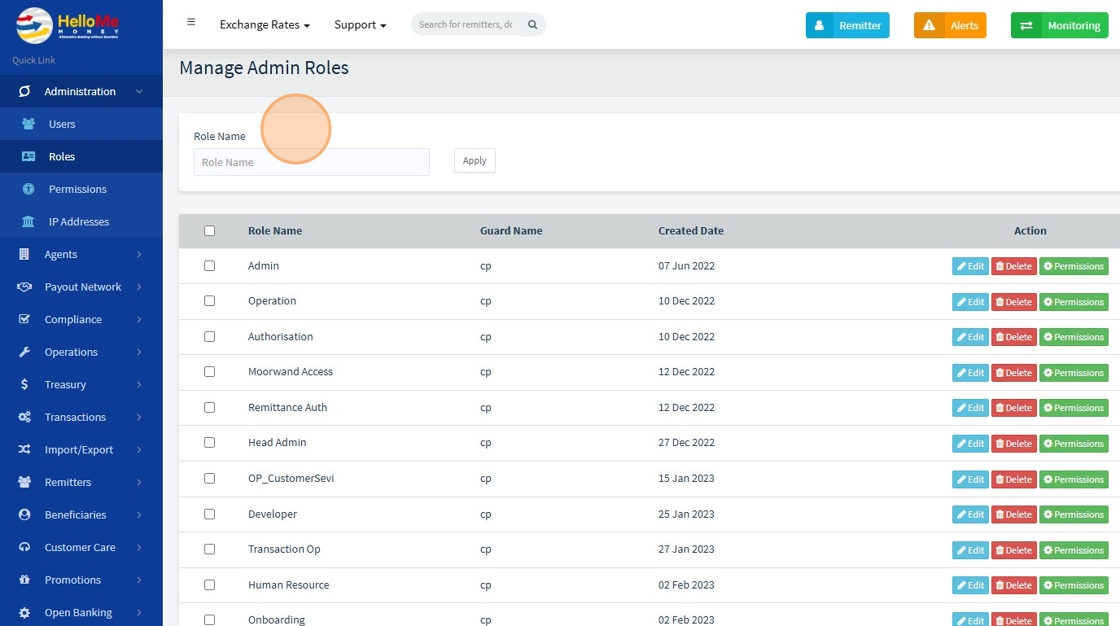
3. Click "Edit" to Change the Role Name

4. Enter Desired Role Name and click "Save changes"

5. User can Delete Role

6. Click "Permissions" to add or remove permissions from a role

7. Click the corresponding arrow to a module to see the sub modules and the permissions

8. "Save changes" to save
