Settings Page
📱 Settings Page — Hellome Money App
The Settings screen in the Hellome Money mobile app (v1.0.1, ©2025) allows users to manage their account preferences and app features. Below is a breakdown of each setting item and its function.
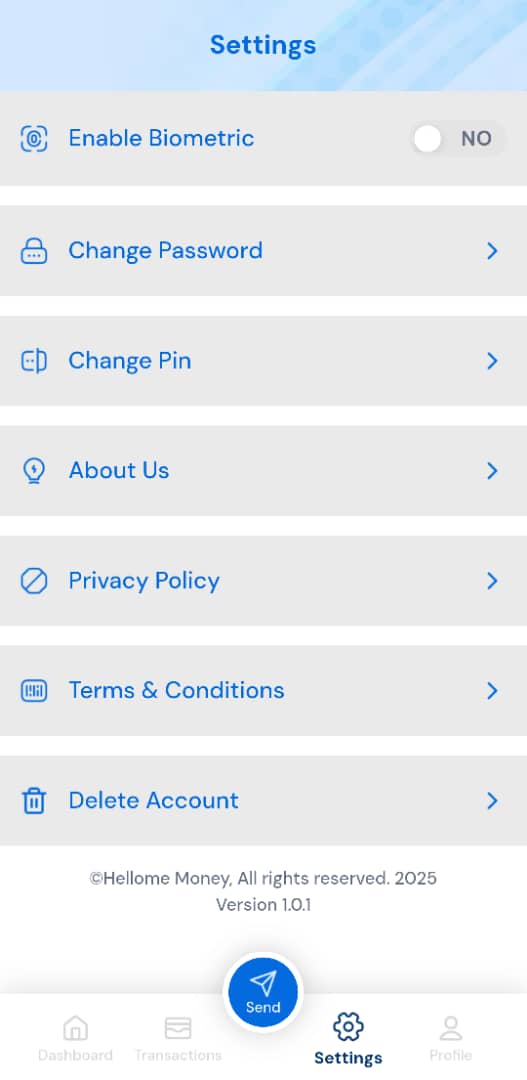
🔐 Enable Biometric
A toggle to activate or deactivate biometric authentication such as Face ID or Fingerprint.
- Status:
NO(Currently Disabled)
🔒 Change Password
Navigate to update your account login password for enhanced security.
🔑 Change PIN
Change your transaction PIN used for authorizing financial actions within the app.
ℹ️ About Us
Learn more about the company or product behind the Hellome Money application.
📄 Privacy Policy
Understand how your personal data is collected, used, and protected by the app.
📜 Terms & Conditions
Review the legal terms and obligations that govern the use of this application.
🗑️ Delete Account
Permanently delete your Hellome Money account, including all stored user data.
⚠️ Note: This action is irreversible.
📌 App Info
App Name: Hellome Money
Version: 1.0.1
Copyright: ©2025 Hellome Money
🔘 Bottom Navigation Bar
The navigation menu includes the following icons:
- Dashboard
- Transactions
- Send (active/selected)
- Settings
- Profile
Users can easily return to the dashboard via the “Go to dashboard” option.