Payment Confirmation page
Checkout Page – Payment Instructions
After entering the beneficiary details and confirming the transaction, users are directed to the checkout page as shown below:
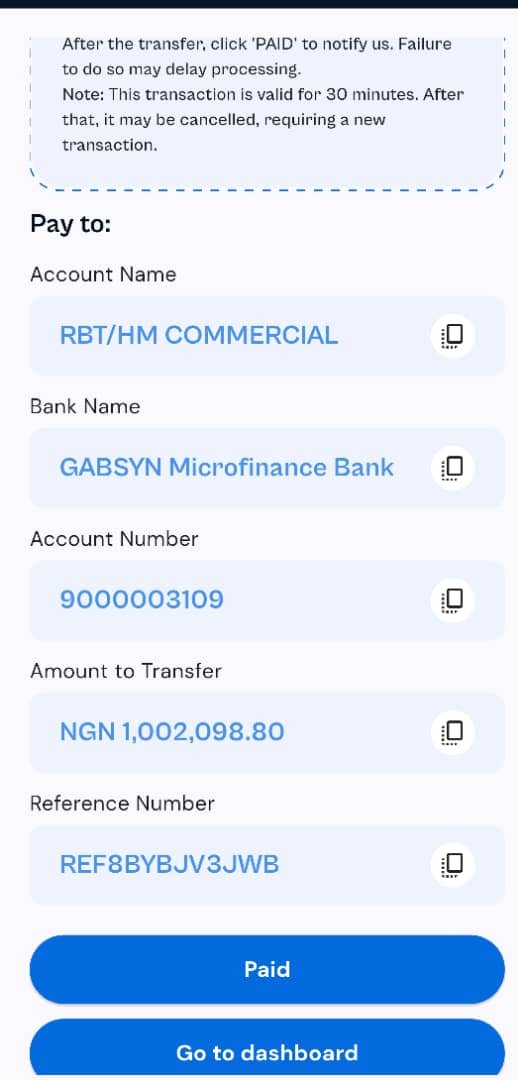
On this screen:
Users will see the account details they need to make a bank transfer to:
Account Name: RBT/HM COMMERCIAL
Bank Name: GABSYN Microfinance Bank
Account Number: 9000003109
Amount to Transfer: ₦1,002,098.80
Reference Number: REF8BYBJV3JWB (must be used when making the transfer)
Each field has a copy icon beside it to allow for quick copying of the details.
Important Notes:
- This transaction is valid for 30 minutes only. If the payment is not made within that time, the session may expire and a new transaction will be required.
- After completing the transfer, users must click the "Paid" button to notify the system.
- Failing to click "Paid" may delay the processing of the transaction.
Users also have the option to return to the dashboard by clicking the "Go to dashboard" button.