Partners API
🔌 Partner API Integration Module
📌 Purpose
Facilitates the integration of external payout and pay-in partners through API connections. This module enables the platform to either send (push) or receive (pull) transaction data from third-party systems — automating transaction flows and ensuring real-time synchronization with partners.
🔰 This sub-module is where:
Administrators configure the technical API details for external partners involved in:
- Funds Disbursement (Payout)
- Funds Collection (PayIn)
- These external partners are first added in the Payout Network module, where basic partner records are created. The Partner API Settings sub-module is where you integrate their APIs — enabling the platform to interact programmatically with these payout or pay-in providers for real-time transaction
 Filters
-
API Type Selection
PUSH: Sends payout transactions to a partner (e.g., disbursing funds).PULL: Retrieves pay-in transactions from a partner (e.g., deposits, wallet top-ups).
-
API Title
A descriptive label for easy identification (e.g.,"TrustPay Payout API"). -
Partner
The third-party provider integrated (e.g.,PayCross,Trust Payments). -
API Client
Identifies the client tenant or system component using the API. -
Status
Toggle betweenActiveandInactivefor managing live vs test (sandbox) environments.
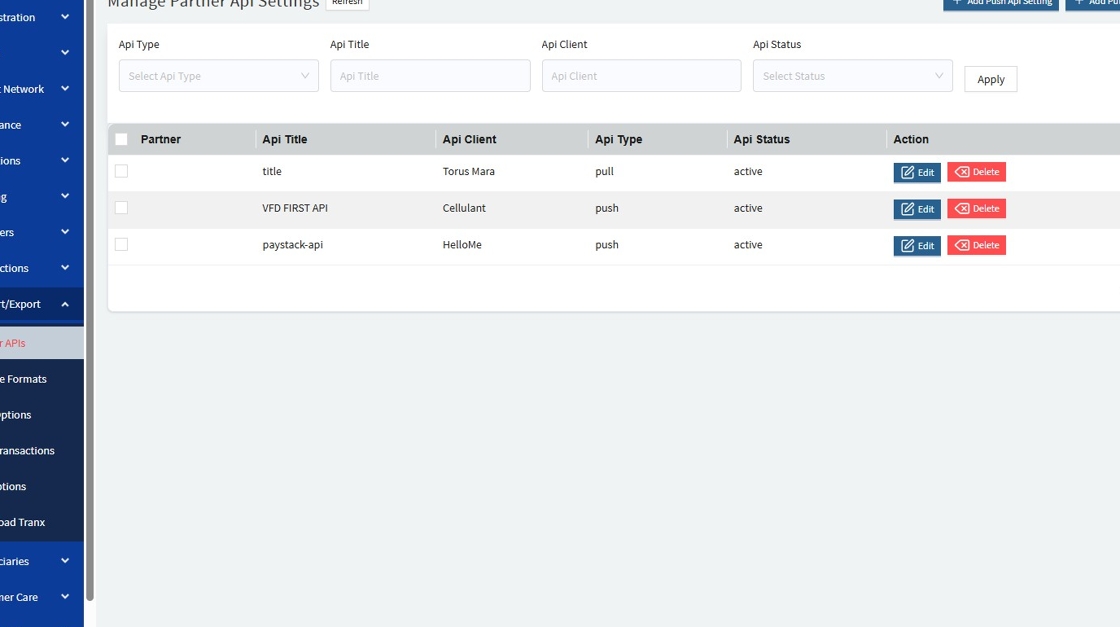
Click on " ➕Add push API Setting " to add a create a new one

The following details are required on the form
🔰 Add PUSH API Setting Use Case: Payout (Sending Money to Beneficiaries)
Configures a third-party payout service provider (e.g., a bank or payment processor).
Configuration Sections:
-
API Info: Basic metadata (API Type, API title, partner, API Client,API Type)
-
UAT/Test Environment: For development/testing purposes
-
Production Environment: Used in live transactions
Each environment requires:
- Base URL
- Authentication Fields: Code, Username, Password, Token, Pin

🔰 Add PULL API Setting
Click "Add Pull Api Setting" to create a new one.

Use Case: PayIn (Receiving Deposits from Customers)
Connects to external partners to import deposit transactions or updates.
Configuration Fields:
Same as PUSH setup, but designed for handling inbound (incoming) transaction data.
