Forward Transactions
The transaction in this sub module shows a status of "Processing".
✅ What "Processing" Means
When a transaction status changes to Processing, it means:
- Compliance teams have reviewed and approved the transaction for payout
- The transaction has been forwarded to the Payout Team or partner.
- It is now awaiting final delivery to the beneficiary.
- Once a transaction has been marked as Paid (either manually or automatically), it will be removed from this section as it has completed its payout lifecycle.
1. Forwarded Transaction Page
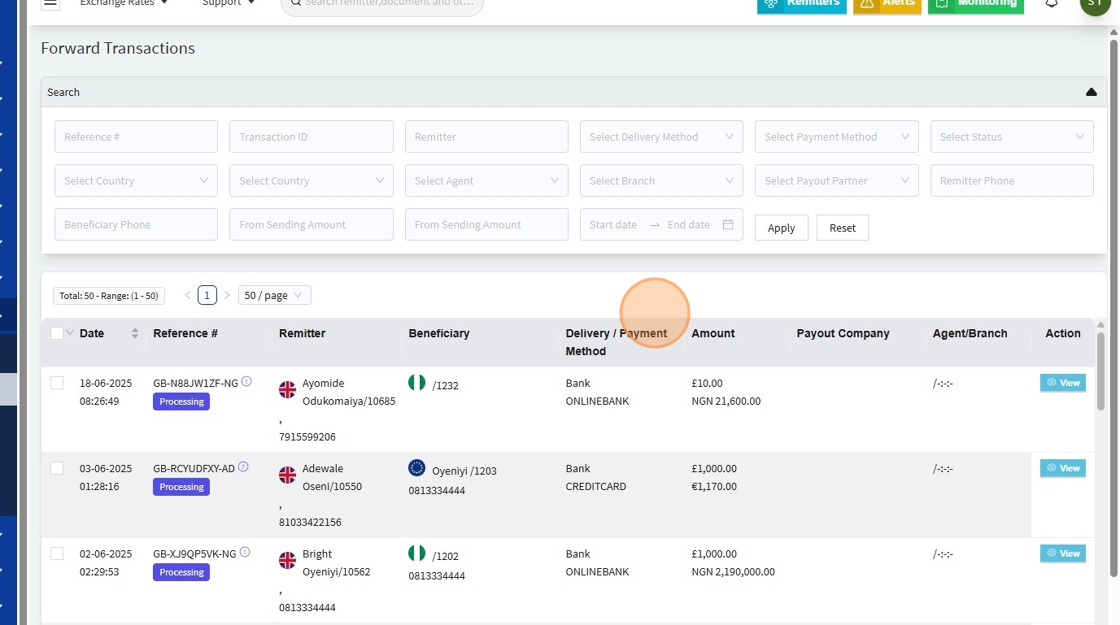
What Happens When You Click "View👁️"
2.

When a user clicks the "View" button, a detailed page similar to that of "Pending transaction module" opens showing full transaction data.
At this stage, the status on the details page will show as "Review".
⚠️ Note: "Review" in this context does not mean compliance is still checking. Instead, it signals that the Payout Team is currently reviewing or processing the transaction for final delivery.
With the compliance review complete, the user should return to the Forward Transactions homepage and manually select the transactions to mark as paid, as indicated in the image below
3.
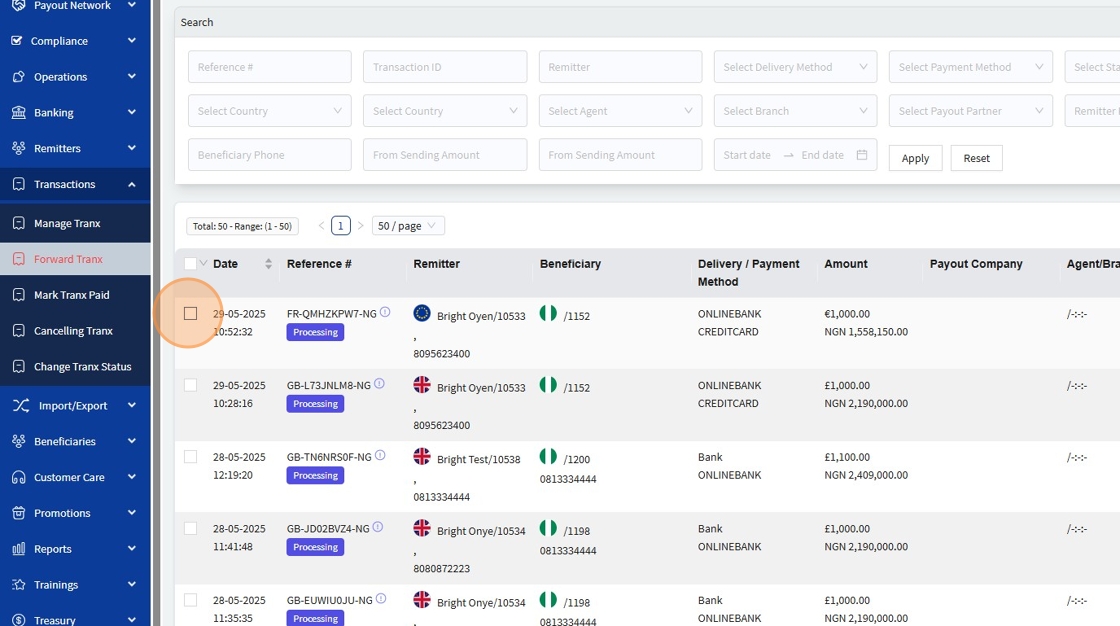
4. After selecting the transactions, the user should click on 'Forward Selected Transactions', as marked in the image below.

What Happens When a Transaction is Marked and Forwarded?
When a transaction is marked and forwarded, it triggers the following actions:
- ✅ The transaction leaves the "Forward Transaction" page.
- 📤 The transaction moves to the "Mark Tranx" page, where it becomes ready to be marked as paid.