Payout companies
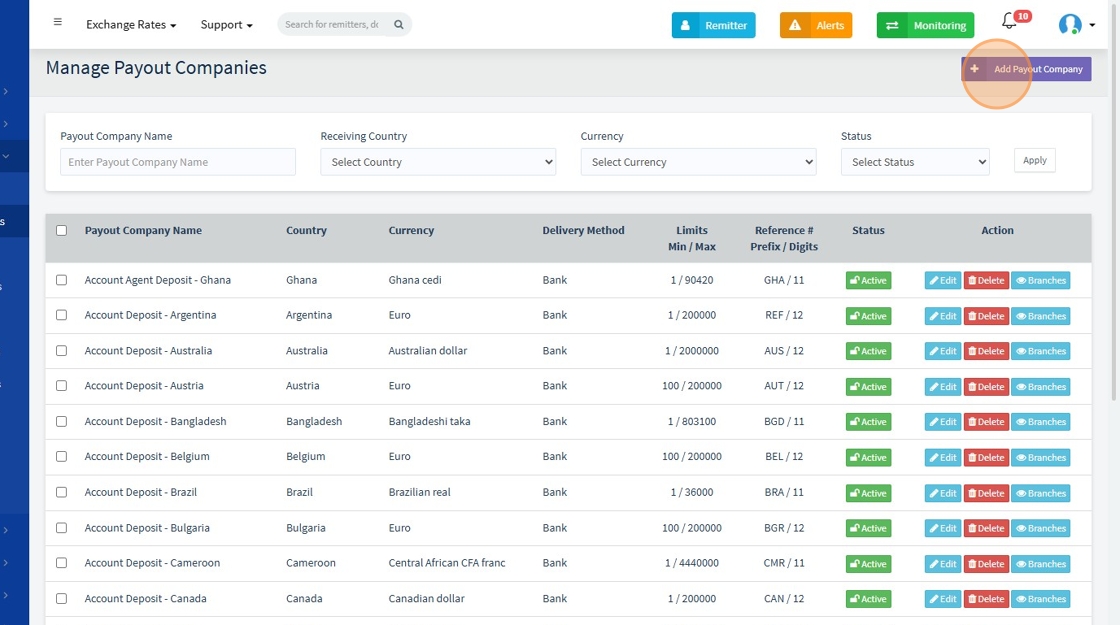
1. Payout Companies overview. Edit, Delete, Add new Payout Companies, clieck "branches" to see the branches connected to a payout company

2. Click "Add Payout Company"
3. - Payout Company Name* – Name of the partner company handling payouts.
- Dealing Currency* – Currency the company operates with (e.g., NGN).
- Receiving Country* – Country where funds are received.
- Delivery Method* – Method of payout (bank, mobile money, etc.).
- Reference # Prefix – Optional text before the transaction number (e.g., GTB-).
- Reference # Digits – Number of digits in the transaction reference (e.g., 12).
- Partner Code* – Code that links this company to a payout partner (e.g., PAYSTACK).
- Partner Location Code – Optional. Helps route payments to a specific location/channel.
- Use Payout Partner Ref* – If Yes, use the partner’s transaction reference.
- Use Live Rate – If Yes, get FX rate from partner's API.
- Enquiry/Validation Enabled – If Yes, system checks recipient details before sending.
- API for Validation – Select the API used for account validation.
- Is Online Allowed – If Yes, users can select this option for online transfers.

4. Click "Branch" to Add Branch to an existing Company.

5. Click "Add Payout Company Branch"

6. Branch Code is a unique reference that links a payout company to a specific branch.
For example, if the company is "HelloMe", a branch code can be "HelloMe_Ikeja" to represent its Ikeja branch.
